Fast Burst Camera 4.4.5 (UPDATE)(ANDROID)

Cover artThis is the fastest camera app available for Android.

Fast Burst Camera is capable of taking 30 photos per second.
( on low-end devices, 5-10 photos per second is possible )

Hold shoot button for continuous burst, or tap for fast single shots.
 

Zero shutter lag - pictures are taken as soon as shutter button is pressed.

★ Supports flash, focus and zoom. Shutter sound can be turned of.

★ Shoot modes
- Single shot
- Full Burst
- Pre-shot
- Motion trigger


★ Built-in editor
- Add filters, frames, text and more
- Adjust brigthess and colours
- Create animated GIFS and collages


★ Great for
- sports shots
- pictures of kids or pets
- party camera
- taking a burst of pictures in an important situation, and pick the best later
- analyse your golf swing frame-by-frame
- Parkour shots


★ Tips for good burst photos
- get as much light as possible - especially when capturing things or people in motion
- keep the camera steady
- hold the shoot button for continuous bursts, and pick the good shots later


https://lh6.ggpht.com/8Rxaoyf_tRxTH7xAmhKGfBFQeqP-V2zWzj_i1B1OQgxITsq_yx4M_U26vomDIAn_0pU


Requires Android: 2.2 and up
CLICK TO DOWNLOAD OR SCAN CODE:
http://goo.gl/4pfWCQ


[root] Mobile ODIN Pro 3.85 (NEW)(ANDROID)

Cover artMobile ODIN is the on-device firmware flasher of choice. Just throw those firmware files on your (internal or external) SD card, start Mobile ODIN and flash away.
! Your device must be rooted to be able to use Mobile ODIN. Check the list below to see if your device is supported!

If you use the EverRoot option, Mobile ODIN will root the firmware while you flash it. Checking out that new leaked firmware? No reason to lose root!

Currently supported devices:

Samsung Galaxy S:
- GT-I9000/B/M
- GT-I9003/L
- AT&T/Rogers Captivate SGH-I896/I897
Samsung Galaxy S2:
- GT-I9100/T/G/M
- SHW-M250S/K
- SC-02C
- AT&T SGH-I777
- Sprint/Virgin/Boost Epic 4G Touch SPH-D710/VMUB/BST
- USCC SCH-R760
Samsung Galaxy S3:
- GT-I9300/T
- GT-I9308
- LTE SHV-E210S
- LTE GT-I9305/T/N
- AT&T/Canadia SGH-I747/M
- TMOUS SGH-T999
- Sprint/C-Spire SPH/SCH-L710
- VZW SCH-I535 (unlock bootloader !)
- USCC/Cricket/MetroPCS Galaxy S3 SCH-R530/U/M/C
Samsung Galaxy S4:
- LTE GT-I9505
- Sprint SPH-L720
- TMOUS SGH-M919
- USCC SCH-R970
- Canadia SGH-I337M
Google Galaxy Nexus:
- GSM Maguro/Yakju/GT-I9250
- CDMA/LTE Toro/Mysid/SCH-I515 (no cdma radio flashing)
Samsung Galaxy Note
- GT-N7000/B
- GT-I9220
Samsung Galaxy Note 2:
- GT-N7100
- LTE GT-N7105
- AT&T/Canadia SGH-I317/M
- TMOUS SGH-T889
- Sprint SPH-L900
- VZW SCH-I605 (unlock bootloader !)
- USCC SCH-R950
Samsung Galaxy Note 3:
- SM-N9005
Samsung Galaxy Note 8.0":
- 3G GT-N5100
- Wi-Fi GT-N5110/N5113
- LTE GT-N5120
Samsung Galaxy Note 10.1":
- 3G GT-N8000
- Wi-Fi GT-N8010/N8013
- LTE GT-N8020
Samsung Galaxy Tab:
- Tab 7" GT-P1000
- Tab 7.0 Plus GT-P6200/L, GT-P6210
- Tab 7.7" GT-P6800, GT-P6810
- Tab 10.1" GT-P7500, GT-P7510
- Tab 2 7" GT-P3100, GT-P3110, GT-P3113
- Tab 2 10" GT-P5100, GT-P5110, GT-P5113
Samsung Galaxy 5:
- GT-I5500/B/L/T/M
- GT-I5503/T
- GT-I5508
Flashing with Mobile ODIN does NOT increase your custom kernel flash counter or make the yellow warning triangle appear.
For discussion and support: http://forum.xda-developers.com/showthread.php?t=1347899

- MANUAL -

Flashing with Mobile ODIN is easy. You start by starting the app and the app will check your system has everything it needs to continue (like root). It may need to download an additional package, so it is advised you have Wi-Fi available.
Now you should see the main Mobile ODIN screen. It will list a set of partitions. Clicking a partition will allow you to select a file from your SD card to flash to that partition. Do not worry about selecting the wrong file - Mobile ODIN will not let you. Separate files (named after the partition) as well as .tar and .tar.md5 files are supported.
From the desktop ODIN you may be used to "PDA", "PHONE", and "CSC" buttons. All three of these buttons have been replaced by the "Open file ..." button. This button will open the file you select from the SD card, and find all the partitions it can flash inside that file. So if you select a .tar file containing kernel and modem, the Kernel and Modem partitions will be set up to use that .tar file for flashing.
Now that we have selected what we want to flash, if you have the Pro version you can proceed to the EverRoot section. The EverRoot options allows you to root your firmware while it is being flashed. Never again will you be without root! Select here which apps you want to inject in the firmware that is being flashed.
Now that we are all done selecting partitions and configuring EverRoot, we continue to "Flash firmware". Mobile ODIN will gather all the information it needs and perform the flash. Before starting, however, it will check that your battery level is over 50%, and if applicable offer to verify MD5 checksums on the files you have selected to flash. If all is well, it will reboot into recovery mode, and flash the firmware you have selected.


[root] Mobile ODIN Pro - screenshot [root] Mobile ODIN Pro - screenshot


Requires Android: 2.1 and up

CLICK TO DOWNLOAD OR SCAN CODE:
Tapatalk Pro 4.2.5 (NEW)(ANDROID)

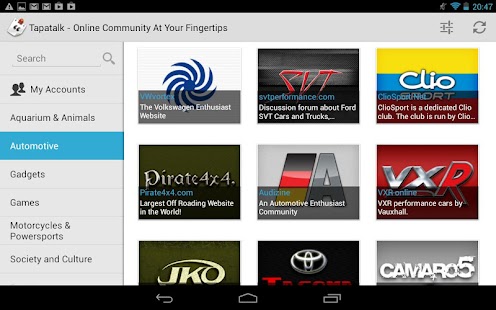
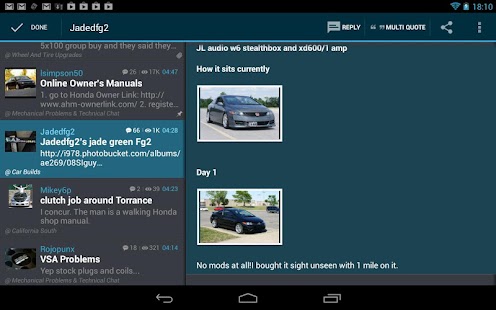
Cover artThis is an all new tablet-optimized version of Tapatalk with built-in Photo Editor, unlimited photo sharing to Tapatalk without Tapatalk logo watermark. Fully tablet optimized layout to make use of additional screen real-estate. While this version will also work on phones the latest full featured, phone-optimized version of Tapatalk is available for free.
Thank you for your support!


Discover robust online communities and stay connected with your favorite forums on-the-go with this award-winning mobile app. Tapatalk is the only mobile app combining over 50,000 internet communities in a streamlined tablet experience. Fast and accessible features allow you to read posts, share photos, and keep updated on private messages in all your forum communities within a single mobile app.

Tapatalk aggregates content from a network of communities that cover a wide variety of interests, from automotive to parenting, gardening to hiking - You will find a forum that matches your interests full of fellow enthusiasts that share your passion.

Tapatalk Pro - screenshot thumbnail 


Requires Android: 2.1 and up
CLICK TO DOWNLOAD OR SCAN CODE:

OfficeSuite Pro 7 + (PDF & HD) 7.3.1513 (UPDATE)(ANDROID)


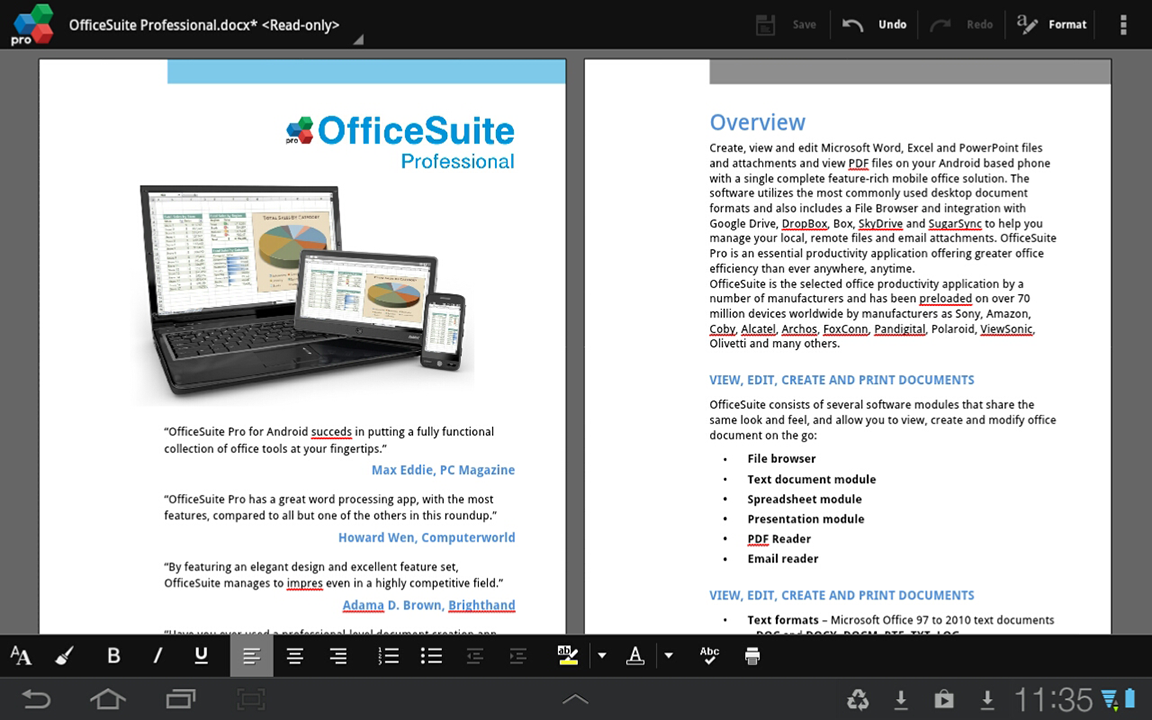
Cover artMade by MobiSystems, OfficeSuite Pro allows you to view, create, edit, print and share Microsoft Word, Excel and PowerPoint files on the go. You can also open attachments and see PDF files on an Android based phone or tablet with our feature-rich mobile office solution.
OfficeSuite Pro includes a File Browser and integration with Cloud service leaders: Box, DropBox, Google Drive, SkyDrive and SugarSync to give users a multitude of options on how to manage files and attachments.
A number of manufacturers such as Sony, Amazon, Barnes and Noble, Coby, Alcatel, Archos, Pandigital, Polaroid, ViewSonic, Kyocera and Kobo trusted MobiSystems and preloaded OfficeSuite worldwide. 


--- What is New in Version 7 ---
 

* Ability to create templates from Word, Excel and PowerPoint files.
* My templates folder in the File Browser Templates for user created templates.
* Ability to print with Google Cloud Print.
* Free hand drawing in Word documents.
* Ability to insert and delete table rows/columns in text documents.
* Ability to insert and edit line shapes in text documents.
* Page setup in Word documents.
* Page background in text documents.
* Charts supported in text documents.
* Language selector in Word documents via QuickSpell add-on (installed separately).
* Conditional formatting in Excel spreadsheets.
* Support of charts in PowerPoint documents.
* Transition audio for PPT and PPTX files.
* Free hand drawing in PowerPoint files.
* Improved Box cloud integration.

--- File Formats Supported ---
* Text format - Microsoft DOC, DOCX, DOCM, RTF, TXT, LOG
* Spreadsheet - Microsoft XLS, XLSX, XLSM, CSV
* Presentation - Microsoft PPT, PPTX, PPS, PPSX, PPTM, PPSM
* Other formats - Microsoft PDF, EML, ZIP
* Microsoft Office 365 compatible

--- Easy File Access and Sharing ---
* With the integrated File Browser you can easily access, modify and share your local or Cloud stored files. OfficeSuite integrates with Google Drive, DropBox, Box, SugarSync and SkyDrive
* Easily open email attachments
* Work with Outlook EML files
* Share documents via Email or Bluetooth

-- Intuitive and Intelligent Design --
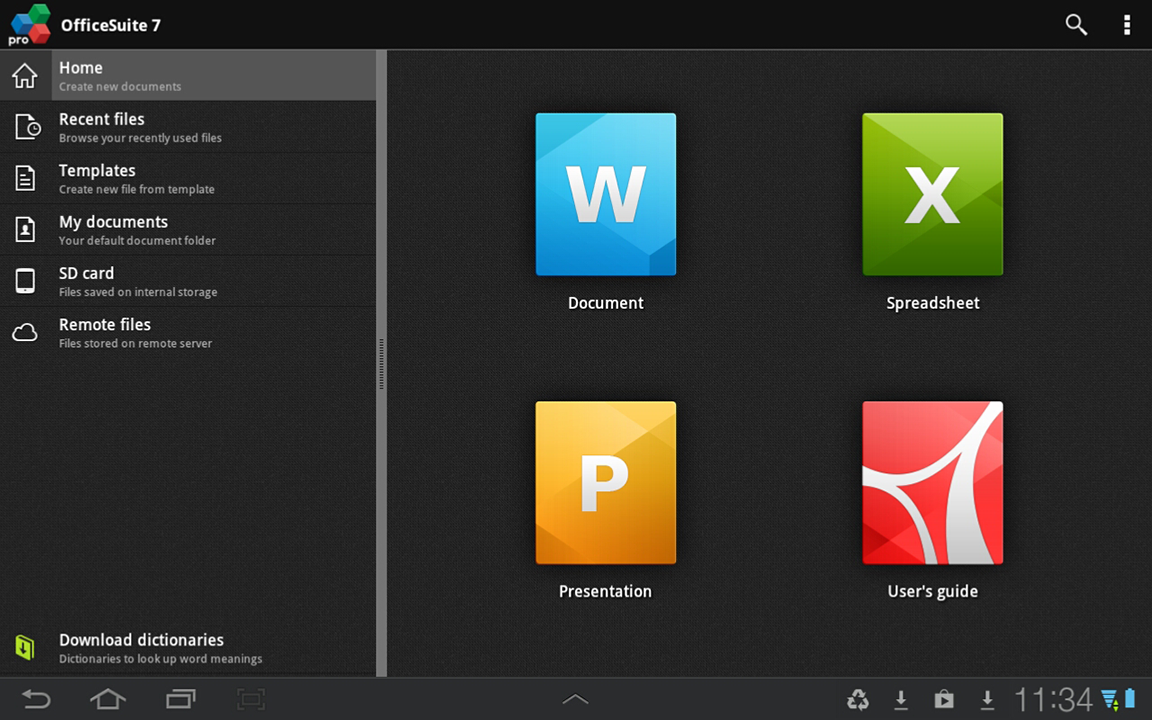
* OfficeSuite 7 comes with new intuitive design and user experience allowing quick and intuitive workflow while you manage your files or create and modify documents.
* New side bar gives instant access to local and cloud stored files.
* Two-finger zoom, multi-touch support, context toolbars and popup menus make your work with OfficeSuite quick and fun.

--- OfficeSuite Extensions ---
* QuickSpell – fully integrated with OfficeSuite Pro QuickSpell will help you dramatically improve your typing accuracy.
* QuickWrite - multilingual contextual text prediction tool and keyboard.
* Font Pack – allows you to use Microsoft most used fonts in OfficeSuite text documents.
* Oxford Dictionary of English - look up word meaning in office text documents in the most popular English dictionary
** Note that OfficeSuite Extensions are sold separately. Purchasing any of the extensions is optional.**
NOTE: For users with preloaded OfficeSuite Pro: This update will not affect your existing license.

Compatible with Sony Ericsson LiveDock™ Multimedia station.
com.sonyericsson.extras.ATTACHED


OfficeSuite Pro 7 (PDF & HD) - screenshot


Requires Android: 2.2 and up


CLICK TO DOWNLOAD OR SCAN CODE:

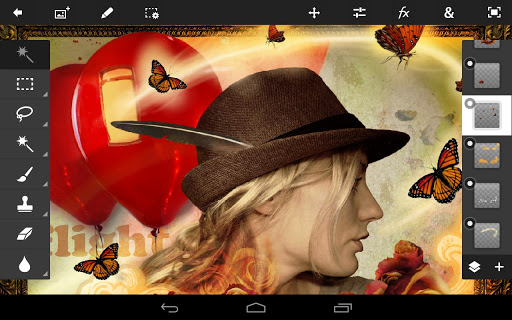
Photoshop Touch for PHONE 1.1.3 (UPDATE)(ANDROID)

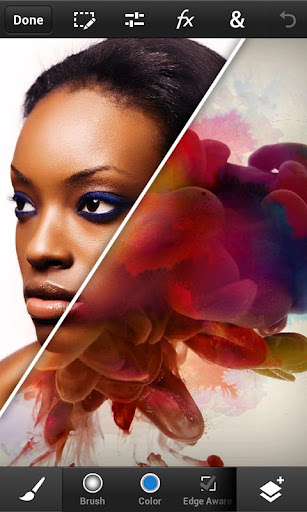
Bring the fun and creative possibilities of Adobe® Photoshop® software to your phone with Adobe Photoshop Touch for phone.

Transform your images with core Photoshop features. Combine images, apply professional effects, and share results with friends and family through Facebook and Twitter — all from the convenience of your phone. 


 Enjoy most of the same features as the tablet version:
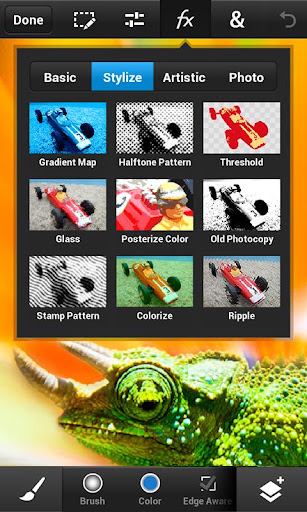
• Use popular Photoshop features, such as layers, selection tools, adjustments, and filters, to create mind-blowing images.
• Improve your photos using classic Photoshop features to bring out the best in your photography. Apply precise tone and color adjustments to your entire composition, a particular layer, or a select area.
• Create something other-worldly using painting effects, filter brushes, and so much more. With Photoshop Touch, the creative possibilities are endless.
• Make your images pop with graphical text. Apply strokes, add drop shadows and fades, and more.
• Take advantage of your device’s camera to fill an area on a layer with the unique Camera Fill feature.
• Quickly combine images together. Select part of an image to extract just by scribbling with the Scribble Selection tool. With the Refine Edge feature, use your fingertip to easily capture hard-to-select image elements, like hair.
• Start a project on your phone and finish it on your tablet* or back in Photoshop** at your desk using a free membership to Adobe Creative Cloud™.*** Your projects are automatically synced between your devices.
• Free membership to Creative Cloud provides 2GB of cloud storage.
• Work on high-resolution images while maintaining the highest image quality. Images up to 12 megapixels are supported.


https://lh3.ggpht.com/Rxmwmtq-VgnLLVBJNNRlVEV0Fm1YB-q-UXrXzdQFzbWZOqItTQ2iIQ_csu9BXAm0_w https://lh5.ggpht.com/p_8QoeEV3iaxkZ7QlbhIEtPjxVkXew8fhmFx2dIg3dtQJZ7OZROmbknMF6snaRHbpA 


Requires Android: 2.1 and up

CLICK TO DOWNLOAD OR SCAN CODE:
Adobe Photoshop Touch 1.5.1 (TABLET)(UPDATE)(ANDROID)

Transform your images with core Adobe Photoshop features in an app designed for tablets.

Combine images, apply professional effects, share results with friends and family through Facebook and Twitter – all from the convenience of your tablet.


• Use popular Photoshop features designed for the tablet such as layers, selection tools, adjustments, and filters to create mind-blowing images.
• Use your tablet camera to fill an area on a layer with the unique camera fill feature.
• Select part of an image to extract by scribbling with the Scribble Selection tool. With Refine Edge, use your fingertip to capture even hard-to-select image elements, like hair, with ease.
• Work on high-resolution images while maintaining the highest image quality. Supports images up to 12 megapixels.
• Follow step-by-step tutorials to easily learn techniques the pros use for great-looking results.
• Search and acquire images with the integrated Google Image Search.
• Browse an inspirational gallery for the styles and results you'd like to achieve.
• Automatically sync projects to Adobe Creative Cloud* and open layered files from Adobe Photoshop Touch in Photoshop CS6 or Photoshop CS5.1.
• Free membership to Creative Cloud gives you 2GB of cloud storage plus the ability to sync between tablet and desktop, access files from the web, and easily share with others.


https://lh6.ggpht.com/En2unLODdbOlxKJV8jlZprMxurg6dY_Q3oy2tz6sXRcMnE-COP6R__GJNoa8t6k2bKXu
https://lh5.ggpht.com/MBIHthXBKCIIIZKXveuDZgrADH2JZSrShwAb9C-CG-2xWWUcOzw7cUyi1TWRz5FYb2c


Requires Android: 3.1 and up

CLICK TO DOWNLOAD OR SCAN CODE: